
What Reiks Viewer never does
Some viewers and players do more than show your files: they check for updates, collect usage statistics, keep a history or build a library. Reiks Viewer does none of that.
- Connect to the internetNo telemetry, no usage statistics, no crash reports, no update checks, no online lookups. Its own code has no networking at all. Its decoders are limited to local files and refuse playlist and streaming formats, to keep a specially made file from pointing it at a web address.
- Keep a record of what you openNo history, no recent list, no thumbnail cache, no library or index of your folders.
- Look inside your picturesNo face recognition, no tagging, no AI, no “enhancing” in the cloud. Reiks Viewer sends nothing from your files to anyone.
- Change your filesIt never writes to your pictures, videos or their folders: no ratings, no tags, no hidden side files.
- Run in the backgroundNo service, no startup entry, no tray icon. When you close it, it is gone.
- Ask for anythingNo account, no sign-in, no ads, no bundled extras. Installing it for yourself needs no administrator rights.
What it does
One frame at a time, both ways
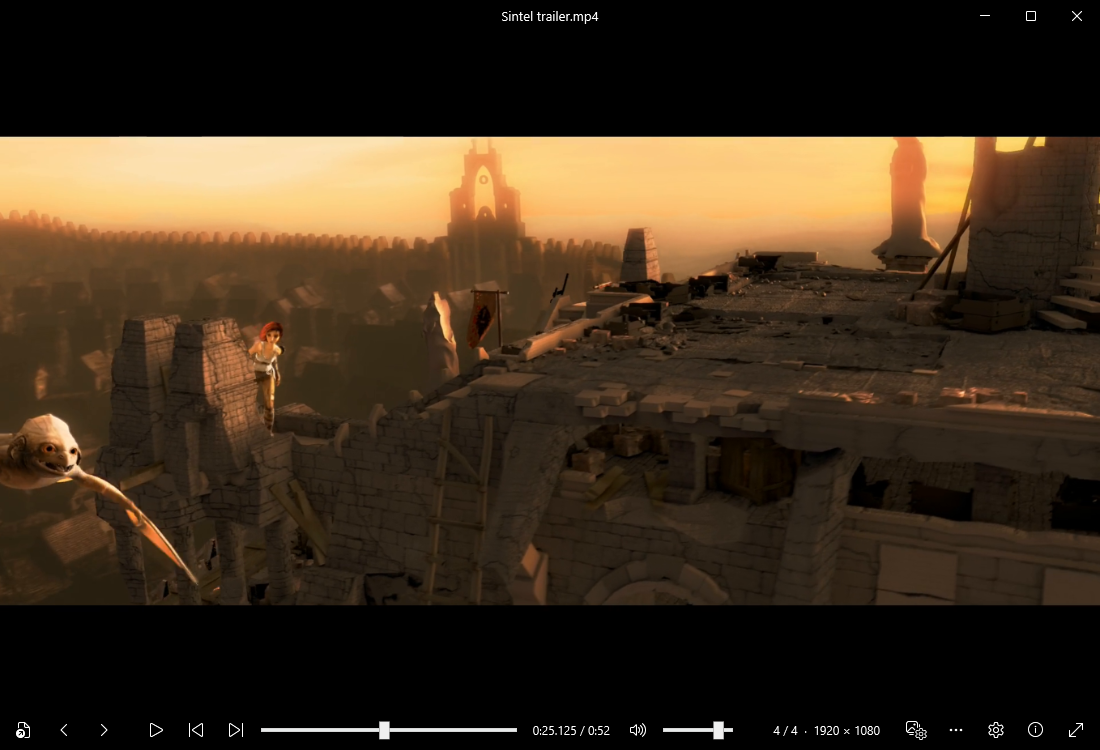
Tap X or Z to move exactly one frame forward or back. Hold to keep going, faster the longer you hold. Each frame is fully decoded before it is shown, so a jump does not leave a smeared picture.
Pictures, GIFs and video together
Open one file and move through everything else in the folder with the arrow keys. Zoom with the mouse wheel, drag to pan, rotate and flip. Print a picture, or the frame of a paused video, with Ctrl+P.
Private on screen too
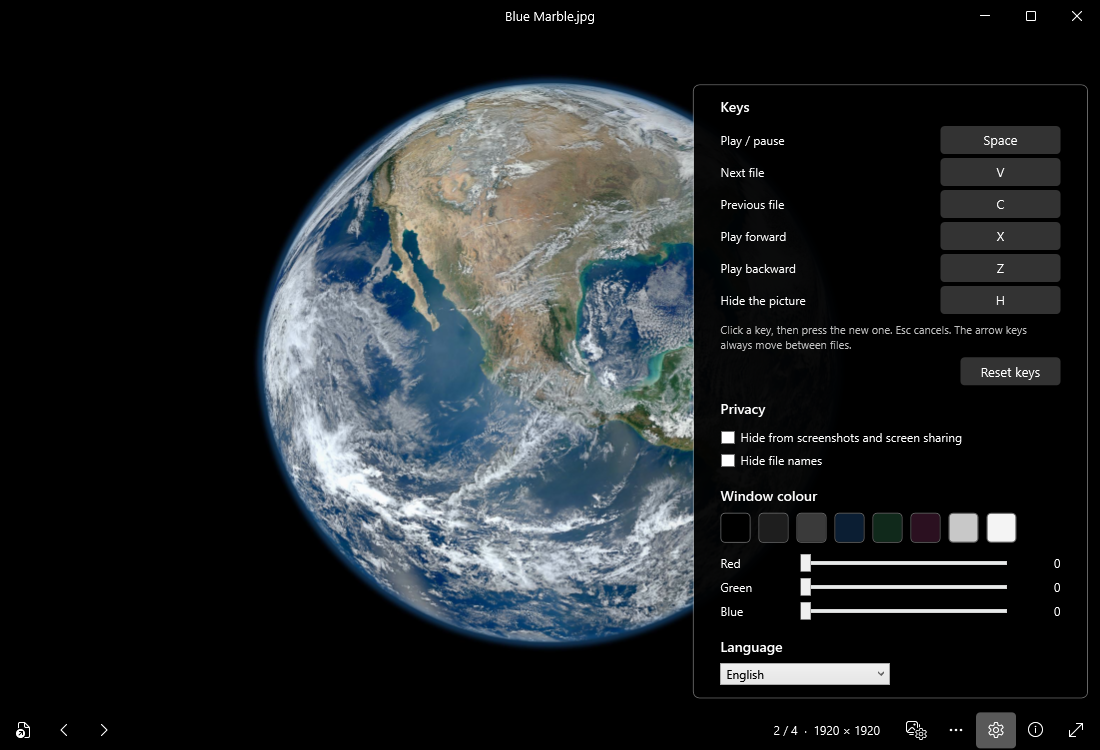
Have Windows leave the window out of screenshots, recordings and screen sharing, which then show whatever is behind it. Hide file names from the title bar and taskbar. Press H to blank the window at once.
Image settings
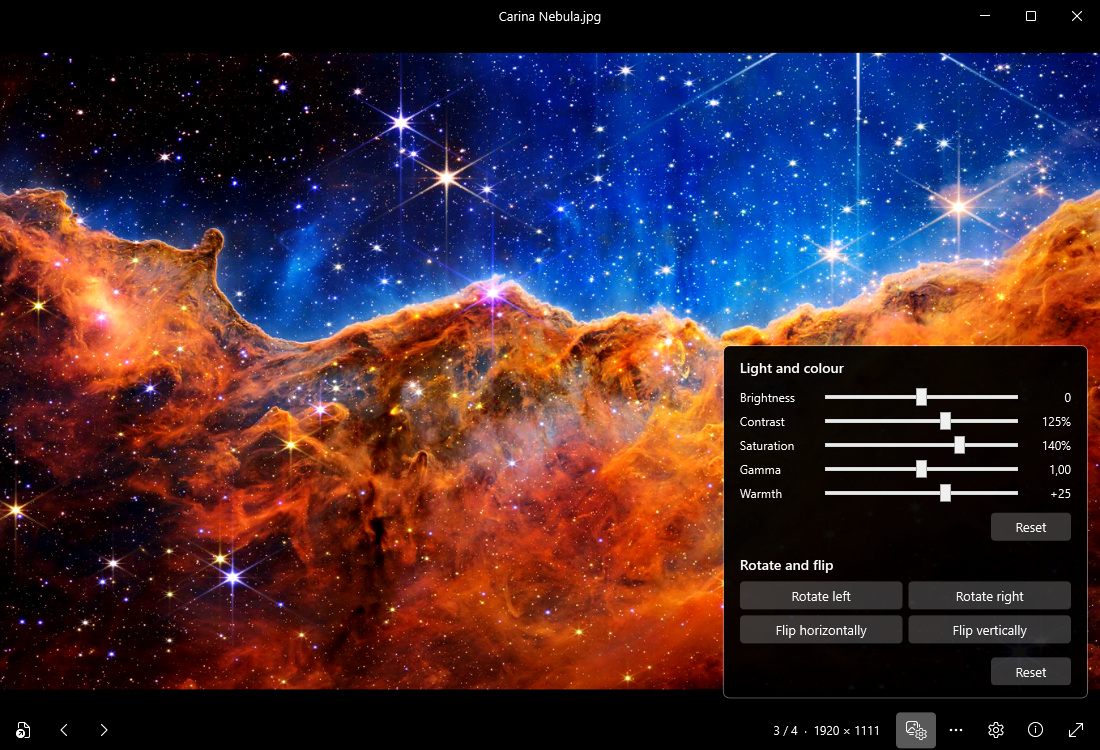
Brightness, contrast, saturation, gamma and warmth for anything on screen, including paused video. Display only: your files are never changed.
Your keys, your colour
Choose the keys for play, next, previous and frame stepping, and pick the window colour. Text switches between white and black to stay readable.
Play a whole folder
Let it move to the next file when a video ends, in order or shuffled, once or on repeat. Or repeat a single video.
Formats
| Pictures | JPG, PNG, BMP, TIFF, WebP, AVIF, HEIC, JPEG XL, JPEG 2000, TGA, QOI, ICO, SVG |
| Animations | GIF, animated PNG, animated WebP |
| Video | MP4, MOV, MKV, WebM, AVI, WMV, FLV, MPEG, TS and more, with H.264, H.265, VP9, AV1 and other codecs |
| Decoding | On the graphics card where it supports the format, otherwise on the processor |
| Languages | English, Spanish, Swedish, French, German, Portuguese, Italian |
Whether a particular file opens depends on what is inside it. HEIC photos taken with an iPhone have had little testing so far. If a file does not open, please report it.
Don’t take our word for it
- Block it and see. Deny Reiks Viewer all network access in Windows Firewall; when you install for all users, the installer offers to add that rule for you. Everything keeps working, because it never needed a connection.
- Read the code. Reiks Viewer is open source. The installer and the zip are built from that code on GitHub’s own servers, in public. GitHub signs a statement for each of them saying which code it was built from, so anyone can check that a download really came from the published code. The FFmpeg libraries inside are not built there: they are an unmodified public build, identified by its checksum in the notices.
- Check your download. Every release lists the SHA-256 checksum of each file.
What Reiks Viewer can’t control
Windows keeps some records of its own, and Reiks Viewer has no say over them. When you open a file by double-clicking it in Explorer, Windows may add it to its recent files list (Settings → Personalization → Start → “Show recently opened items”). Reiks Viewer asks Windows to keep files opened through its own Open dialog off that list, but Windows may still remember which folder that dialog was last in. If Reiks Viewer ever crashes, Windows Error Reporting may record the crash, as it does for any app. Windows’ diagnostic data and Recall are Windows settings too, under Privacy & security.
“Hide from screenshots” relies on a Windows feature. Windows applies it to the usual ways of capturing a screen: Print Screen, the Snipping Tool, screen recorders and screen sharing in meeting apps. It cannot stop a camera pointed at your screen or software made to get around it, and we have not tested it against Windows Recall.
If you open a file from a network drive or a cloud-synced folder, Windows or your sync program carries that data over the network, as with any app. Printing goes through Windows’ own print system: Windows and the printer’s driver talk to the printer, over your network if it is a network printer, and they may keep a record of the job. And like every media player, Reiks Viewer has to decode whatever a file contains: a deliberately damaged file could make it crash or misbehave, so keep it up to date and take care with files from sources you don’t trust.
In normal use, the only file Reiks Viewer writes is your options: your keys, window colour, language, playback, privacy and print choices, in %APPDATA%\ReiksViewer\settings.json. It contains nothing about your files. Uninstalling removes it; if you use the portable zip, delete that folder yourself.
Installing
Windows may warn you the first time. The installer is not digitally signed yet, so Windows can show “Windows protected your PC”. Choose More info, then Run anyway.
To check that your download is complete and matches the published file, compare its SHA-256 checksum with SHA256SUMS.txt. In PowerShell: Get-FileHash ReiksViewer-Setup-1.5.0.exe
Installing for yourself needs no administrator rights; installing for all users does. The installer can add Reiks Viewer to Explorer’s “Open with” list. To update, run a newer installer over the old one; “Check for updates” in the app (F1) opens the download page in your browser, and the app itself stays offline.
Reiks Viewer is tested on Windows 11. It should also run on Windows 10, but that has not been tested yet.
Open source inside
Reiks Viewer decodes pictures and video with libraries from the FFmpeg project, licensed under the GNU Lesser General Public License. FFmpeg is included as separate, unmodified DLL files that you may replace with your own build. The FFmpeg source code for the included build is published with every release, and the full notices are in THIRD-PARTY-NOTICES.txt inside the app’s folder.
Reiks Viewer is not affiliated with or endorsed by the FFmpeg project. FFmpeg is a trademark of Fabrice Bellard.